
Wheel Of Names – Spin Names Randomly Online
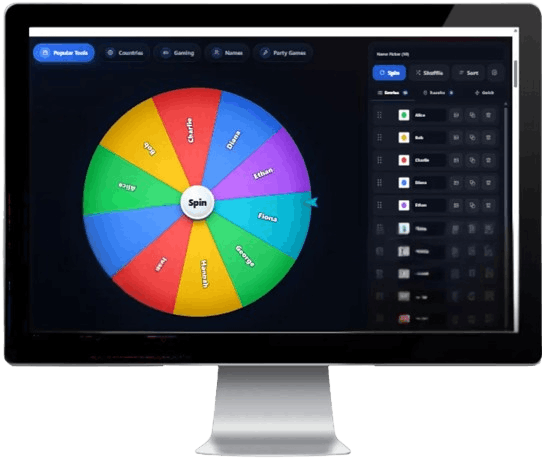
Wheel of Names helps you add names, spin the wheel, and pick a random result for classrooms, giveaways, teams, games, chores, raffles, and group decisions. It is simple to use, works in your browser, and makes choosing names faster and more engaging.
Why Wheel Of Names Is Easy to Use
The tool keeps random name picking simple with clear controls, editable entries, smooth spinning, and a clean layout for classrooms, giveaways, teams, and group activities.
Quick Name Picking
Add names, spin the wheel, and get a randomly selected name in seconds.
Fun Spinning Experience
The colorful wheel makes name picking more exciting, visual, and easy to follow.
Custom Entry Support
Type names, edit entries, remove items, and prepare your wheel for any group.
Mobile-friendly Layout
Use the name wheel on phones, tablets, laptops, or desktop screens.
Clean User Interface
A simple layout keeps the focus on entries, the wheel, and the final result.
Lightweight Tool
The page is designed to stay simple, fast, and easy to open in a modern browser.
Random Outcomes
Each spin is made to pick one result from the names added to the wheel.
Good for Groups
Use it for classrooms, giveaways, games, chores, teams, raffles, or event activities.
Easy to Use Anytime
Open the wheel whenever you need a quick name picker for group decisions.
A Simple Name Spinner for Every Group
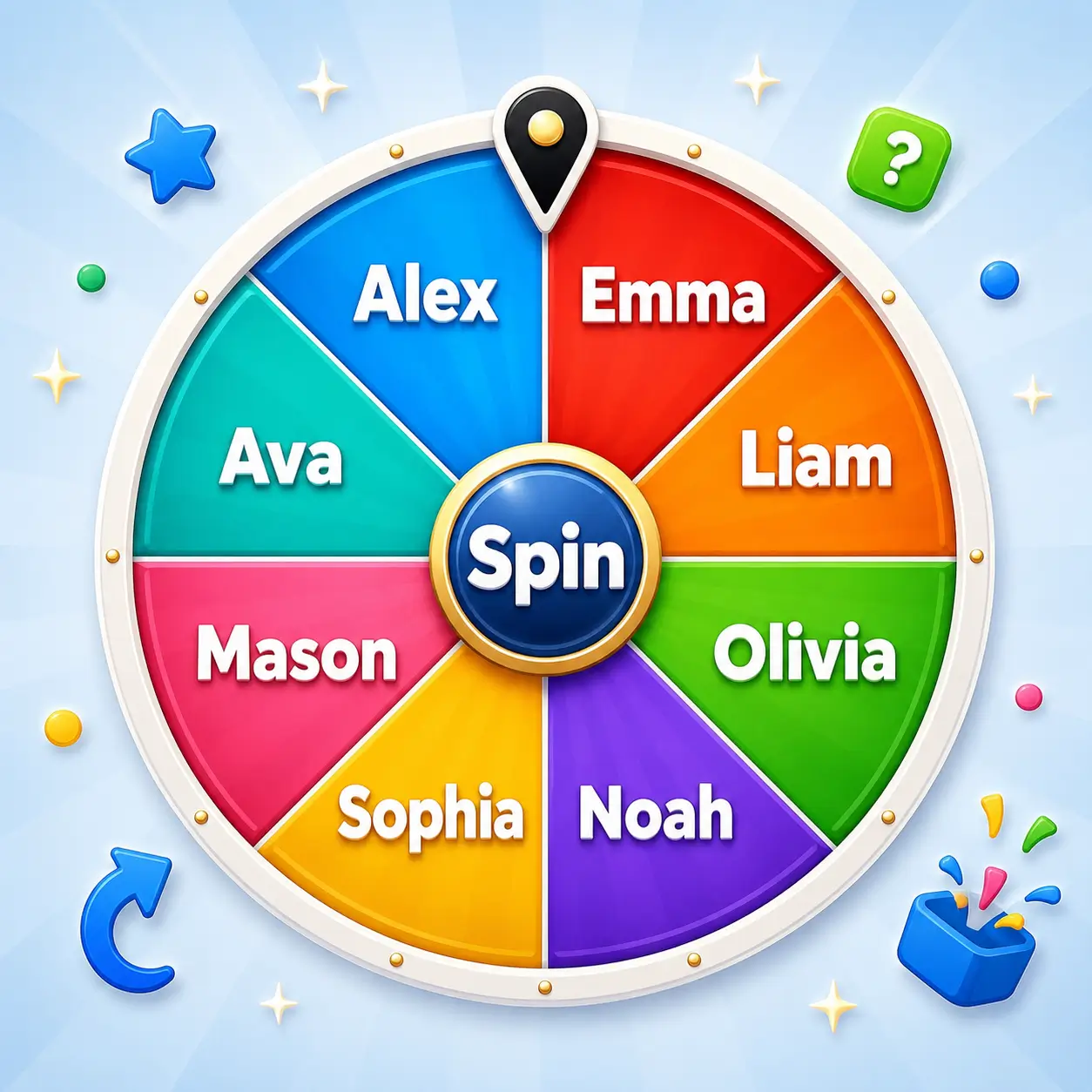
Wheel of Names is an online random name picker made for classrooms, giveaways, games, teams, raffles, chores, and group activities. Add your list of names, spin the wheel, and let it choose a random result in a fun and simple way.
This tool is useful when you need a fair-looking and easy way to pick someone from a group. Teachers can choose students, hosts can pick winners, friends can make game turns, and teams can decide tasks without long discussions.
The page is designed to stay clear, fast, and easy to use on desktop, tablet, and mobile. Open the wheel, add your entries, spin, and read the selected name when the wheel stops. For important decisions, always use your own judgment.
Why the Wheel of Names Was Built?
A simple idea with a clear purpose: to make random name picking easier, faster, and more enjoyable for groups. People often need to choose a name for small moments — who goes first, who wins a giveaway, which student answers next, who joins a team, or who handles a quick task. These choices are usually simple, but they can still take time when everyone is waiting.
Wheel of Names was built to make that process more visual and fun. Instead of choosing manually from a list, you can add names, spin the wheel, and let the result appear clearly and engagingly. It works well for classrooms, raffles, games, team activities, chores, events, and casual group decisions.
Spinner tools are easy to understand because they turn a basic selection into a short moment of suspense. Bringing that idea online means you can use the wheel on a phone, tablet, laptop, or desktop whenever you need a quick random picker.
Why People Like Name Picker Wheels:
- They make group choices feel quicker and easier
- They add a fun spinning moment before the result appears
- They are useful for classrooms, giveaways, teams, and games
- They help avoid long discussions when choosing one name
- They are simple enough for students, families, hosts, and teams
Manual Picking vs Wheel Of Names
Wheel Of Names is not meant to replace careful judgment. It works best when the choice is light, casual, and suitable for a random result. For important decisions, always review the situation and use your own judgment.
| Aspect | Manual Name Picking | Wheel Of Names |
|---|---|---|
| Speed | May take extra time when a group has many names | Lets you add names, spin, and get a result quickly |
| Fun Factor | Can feel plain or predictable | Adds a colorful spinning moment before the name appears |
| Group Use | People may question how the name was selected | Everyone can watch the same wheel spin and result |
| Use Cases | Usually works for simple one-time selections | Works for classrooms, giveaways, teams, raffles, games, and chores |
| Effort | Requires comparing names, discussing, or choosing by hand | Keeps name selection simple, visual, and easy to follow |
Spin the Wheel Of Names in 6 Simple Steps
Add your names, customize your list, spin the wheel, and use the selected result for classrooms, giveaways, teams, games, or group activities.
Open the Wheel
Visit the Wheel of Names page in your browser and get ready to add entries.
Add Your Names
Type or paste the names you want to include in the wheel.
Review the List
Check your entries, remove mistakes, and make sure every name is ready before spinning.
Click Spin
Press the spin button and watch the wheel rotate through your names.
Read the Result
When the wheel stops, the selected name appears as the final result.
Spin Again Anytime
Update your list or spin again whenever you need another random name.
Wheel Of Names Works in Modern Browsers
Wheel of Names is designed for updated browsers that support JavaScript, touch controls, and standard web features for smooth name spinning.
Google Chrome
Works well on updated Chrome browsers for desktop and mobile name picking.
Microsoft Edge
Supported on modern Edge browsers for Windows and other compatible devices.
Safari
Works on updated Safari versions for iPhone, iPad, and Mac users.
Firefox
Runs in updated Firefox browsers with JavaScript enabled.
Brave
Supported in Brave, though privacy settings may affect scripts or ads.
Samsung Internet
Works best on updated Samsung Internet browsers for Android devices.
Compatibility, Performance, and Experience
Wheel Of Names uses simple browser-based technology, so there is no app to install and no complex setup required. You can open the tool on a desktop, tablet, or mobile as long as your browser is updated and JavaScript is enabled.
The experience may vary depending on your device, browser version, internet connection, and privacy settings. If the name wheel does not load, spin, or respond correctly, refresh the page, update your browser, or check that JavaScript is allowed.
| Browser | Compatibility | Performance | Experience |
|---|---|---|---|
| Chrome | Supported | Works best updated | Good for desktop and mobile name spinning |
| Edge | Supported | Works best updated | Good for Windows users and classroom use |
| Safari | Supported | Version dependent | Good for iPhone, iPad, and Mac users |
| Firefox | Supported | Works with JavaScript | Good for regular browser-based spinning |
| Opera | Supported | Works best updated | Good for modern web use and quick picks |
| Brave | Supported | Settings may vary | Privacy settings may affect scripts or ads |
| Samsung Internet | Supported | Works best updated | Good for Android name picker use |
| UC Browser | Limited support | May vary by version | Use an updated browser if the wheel has issues |
Wheel of Names is designed to work in updated modern browsers with a clean layout and simple controls. The experience may vary slightly by device, browser version, connection, or settings, so keeping your browser updated can help the name wheel load, spin, and respond properly.
A Simple, Safe, and Friendly Name Picker
The Yes Or No Wheel keeps the experience clear, casual, and easy to understand.
Your Privacy Matters
We do not ask for an account to use the name wheel for casual spins.
No Signup Required
Open the page in your browser, add names, and start spinning without creating a profile.
Random and Fun
Each spin is made for simple name picking, with a colorful wheel and an easy-to-read result.
Common Wheel Of Names Issues and Quick Fixes
Most issues can be fixed by refreshing the page, checking your entries, updating your browser, or allowing JavaScript.
Issue
The wheel is not spinning
Fix
Make sure JavaScript is enabled, then refresh the Wheel Of Names page and try again.
Issue
The page is not loading properly
Fix
Check your internet connection, close the tab, and reopen the page in your browser.
Issue
My name is not showing
Fix
Check that each name was added correctly, then refresh the list or enter the names again.
Issue
Slow internet feels laggy
Fix
Try a stronger connection and close heavy background tabs so the wheel can respond better.
Issue
Mobile layout looks off
Fix
Refresh the page, keep normal zoom settings, or update your mobile browser.
Issue
Tap or click is not responding
Fix
Tap directly on the spin button. If it still does not respond, refresh the page and try again.
Issue
Animation feels delayed
Fix
Close extra tabs or apps so your device has more resources available for the wheel animation.
Issue
Page looks frozen
Fix
Reload the page. A simple refresh usually fixes temporary loading or browser issues.
What Users Say About Wheel of Name
People use Wheel Of Names to pick names quickly for classrooms, giveaways, teams, chores, raffles, games, and group activities with a simple spinning experience.
“Wheel Of Names is helpful when I need to pick a student quickly. The spinning result keeps the class interested.”
Aria K.
“I use it for small giveaways and group activities. Adding names is simple, and the final result is easy to read.”
Marcus T.
“The wheel makes choosing names feel fair and fun during classroom warmups, team turns, and quick learning games.”
Priya S.
“It is a clean name picker for casual use. I open it, enter names, spin, and get a result without setup.”
Diego L.
“The layout is easy to use on my phone. It works well when our group needs a quick random name.”
Hana M.
“We used Wheel Of Names for game turns and chores. The spin made simple picks more fun for everyone.”
Ben R.
Frequently Asked Questions
Find clear answers about Wheel Of Names, including how to add names, spin the wheel, use it on mobile, understand random results, and fix common issues.
Wheel Of Names is an online name picker that lets you add entries, spin the wheel, and choose a random result.
Yes, you can use the name wheel in your browser without installing an app or creating an account.
No, an account is not required. Open the page, add your names, and spin the wheel whenever needed.
Yes, Wheel Of Names works on phones, tablets, laptops, and desktop screens with an updated modern browser.
You can use it for classrooms, giveaways, teams, chores, games, raffles, group turns, and casual name picking.
The tool is suitable for simple classroom and family activities when adults choose appropriate names and use cases.
Add your names to the list, click or tap the spin button, and wait for the wheel to stop.
Yes, you can add custom names or entries before spinning, depending on how you want to use the wheel.
Yes, you can spin again whenever you need another random name or want to make a new selection.
Each spin is intended to select one result from the names added to the wheel. Repeated results can happen.
Random picks can repeat, especially when the same names remain on the wheel after each spin.
Wheel Of Names is best for casual choices. For important decisions, review the situation and use your own judgment.